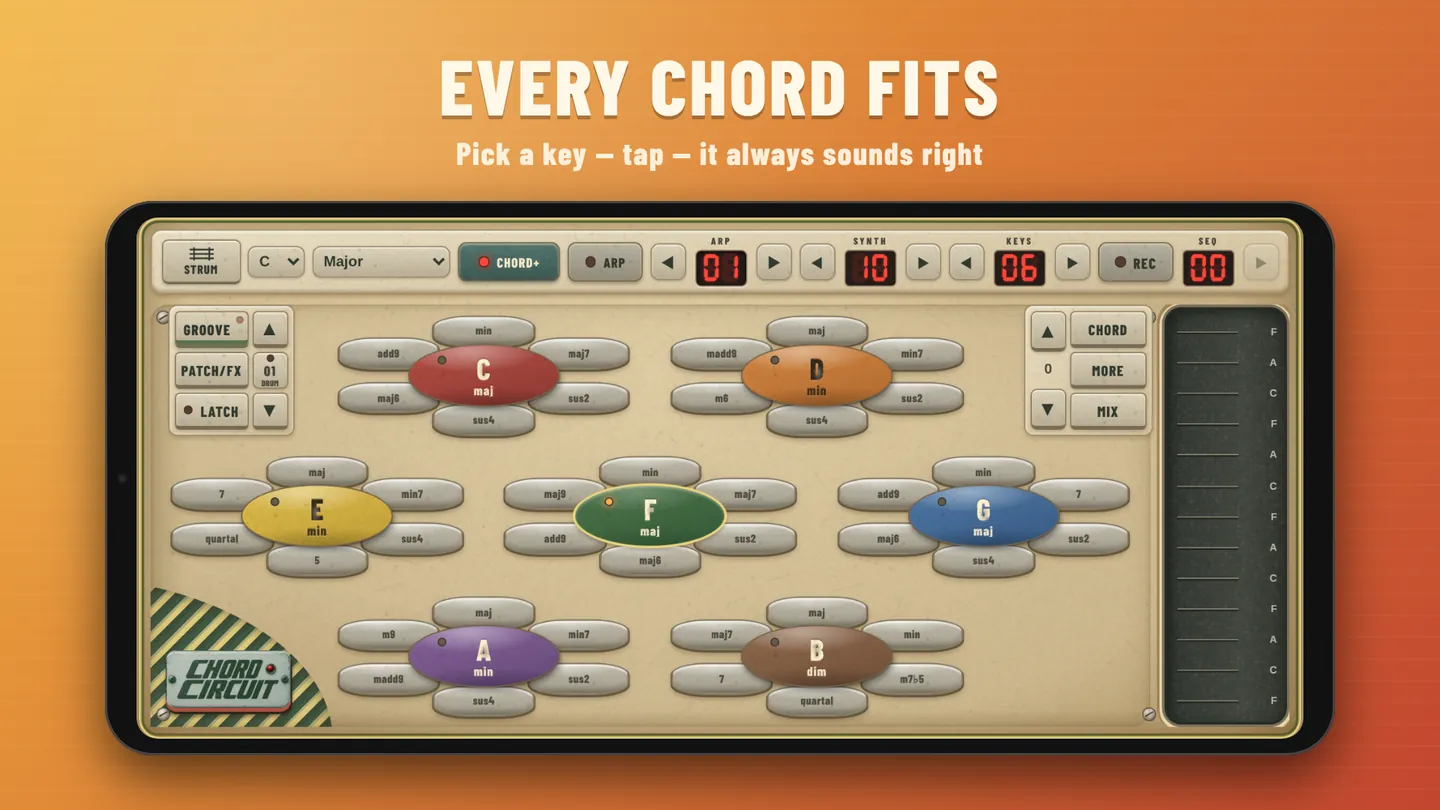
The main screen
Hold your phone sideways. Everything you need to play is on one screen. The numbers match the list below.
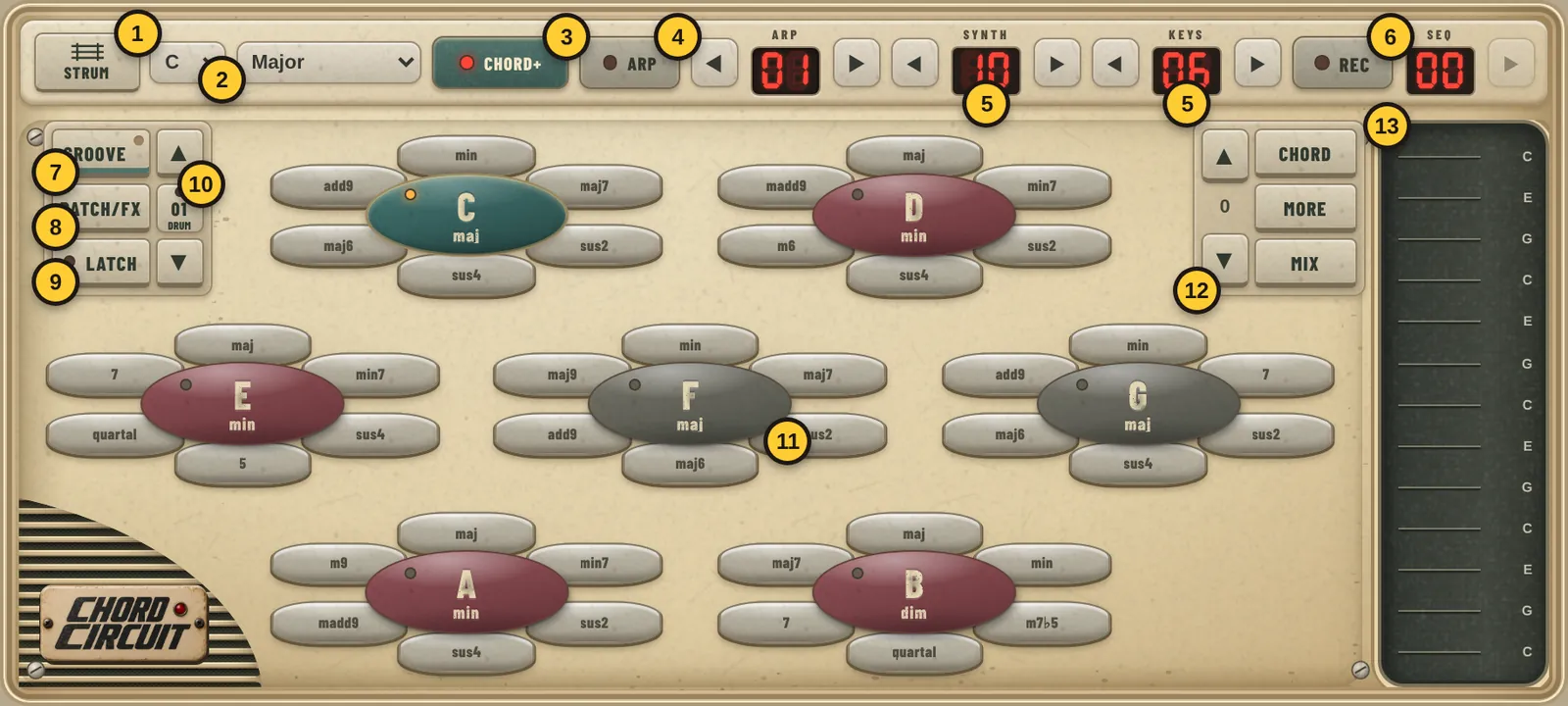
- 1Strum / Piano: switch between strings to strum and a piano keyboard.
- 2Key and scale. Every chord pad follows these, so nothing sounds wrong.
- 3Chord+: show extra chord flavours around each chord.
- 4Arp: arpeggiator on/off. ◀ ▶ picks one of 50 patterns.
- 5Synth (the chord sound) and Keys (the strings/keys sound). ◀ ▶ change sound.
- 6Rec: open the sequencer. Seq shows your saved sequence; tap it for the pads.
- 7Groove: tempo, drums, auto strum, arp, bass and chord options. The light flashes on the beat.
- 8Patch/FX: sounds and effects.
- 9Latch: chords keep playing after you let go, until you tap another chord, or tap the same one again to stop.
- 10Drum beat. ▲ ▼ change beat, tap the number for drums on/off, hold it to open the drum editor.
- 11Chord pads. Tap the centre for the chord, or a petal for a variation.
- 12Octave ▲ ▼, Chord/All notes for the strings, More strings or keys, and Mix for the volume faders.
- 13Strings. Swipe across to strum, or tap single strings for melodies.
Keys & scales
Pick a key (C to B) and a scale at the top. The chord pads change to the chords that belong together, so any order you tap them in sounds right.
| Scale | Sound and mood |
|---|---|
| Major | Bright, happy, open. Most pop songs. |
| Natural minor | Sad, serious, emotional. |
| Dorian | Minor, but hopeful and cool. Funk, soul and jazz. |
| Phrygian | Dark and tense, with a Spanish or metal edge. |
| Lydian | Dreamy and floating. Film music and wonder. |
| Mixolydian | Major with a bluesy twist. Rock and folk. |
| Minor / Major pentatonic | Five notes, very hard to get wrong. Blues, rock, folk and country. |
| Harmonic minor | Dramatic, classical or Middle Eastern. |
| Hirajōshi, In Sen, Iwato, Kumoi | Traditional Japanese scales. Atmospheric and calm, or dark and mysterious. |
| Whole tone | Hazy and unresolved, like a dream sequence. |
Chord pads & strings
- Tap a chord pad. The chord plays for as long as you hold it.
- Swipe the strings on the right to strum. Swipe up and down for different strum directions, or tap single strings for a melody.
- Chord / All notes: the strings play the notes of the current chord, or every note of the scale.
- More adds strings, and ▲ ▼ moves them up and down in octaves.
- Turn on Latch so chords ring on after you lift your finger. Tap the playing chord again to stop it.
Play the piano
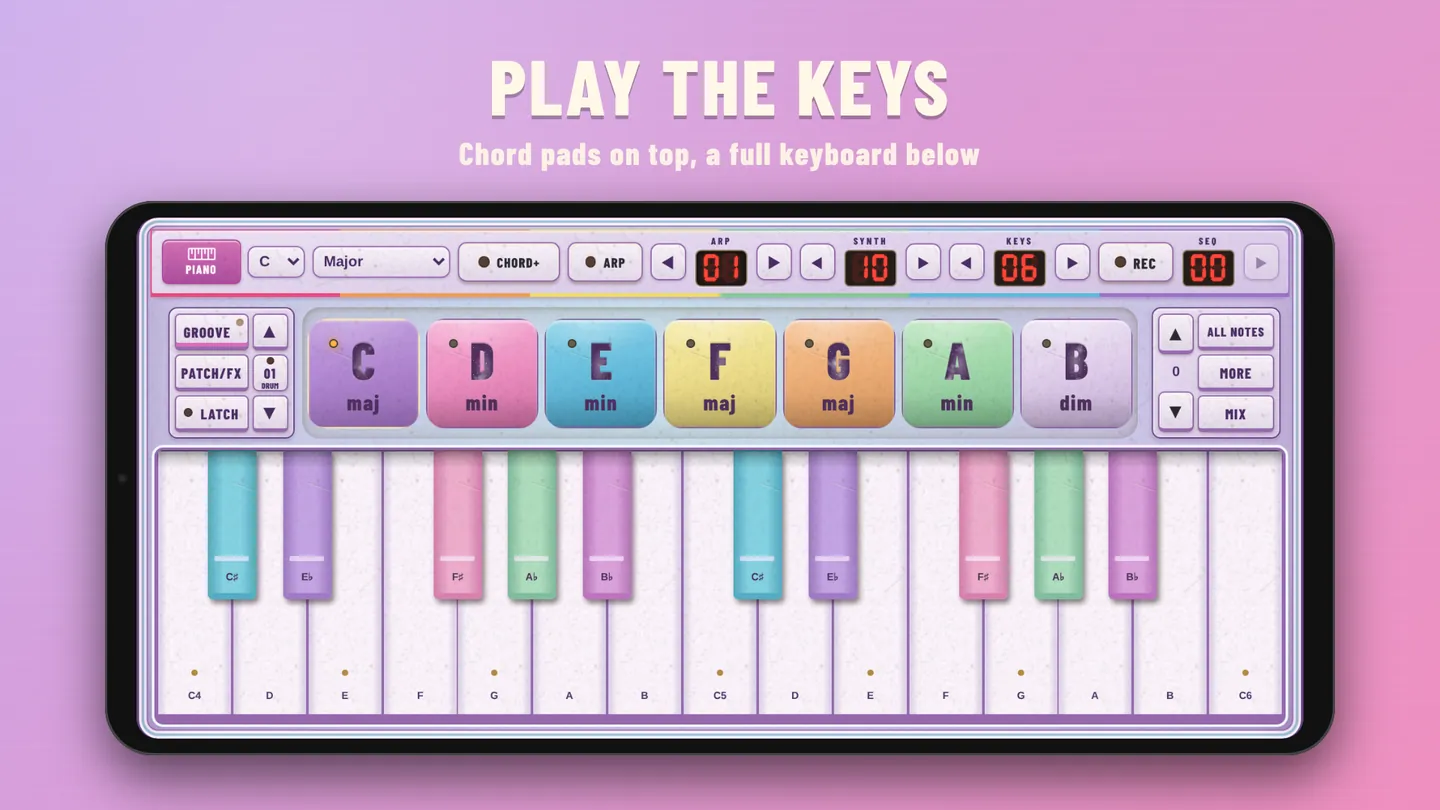
Tap Strum in the top-left corner to switch to Piano. The chord pads move to the top and a full keyboard fills the bottom, so you can play chords with one hand and a melody with the other.
- Dots mark the notes of your scale. All notes shows every key.
- More gives you two octaves, and ▲ ▼ moves up and down.
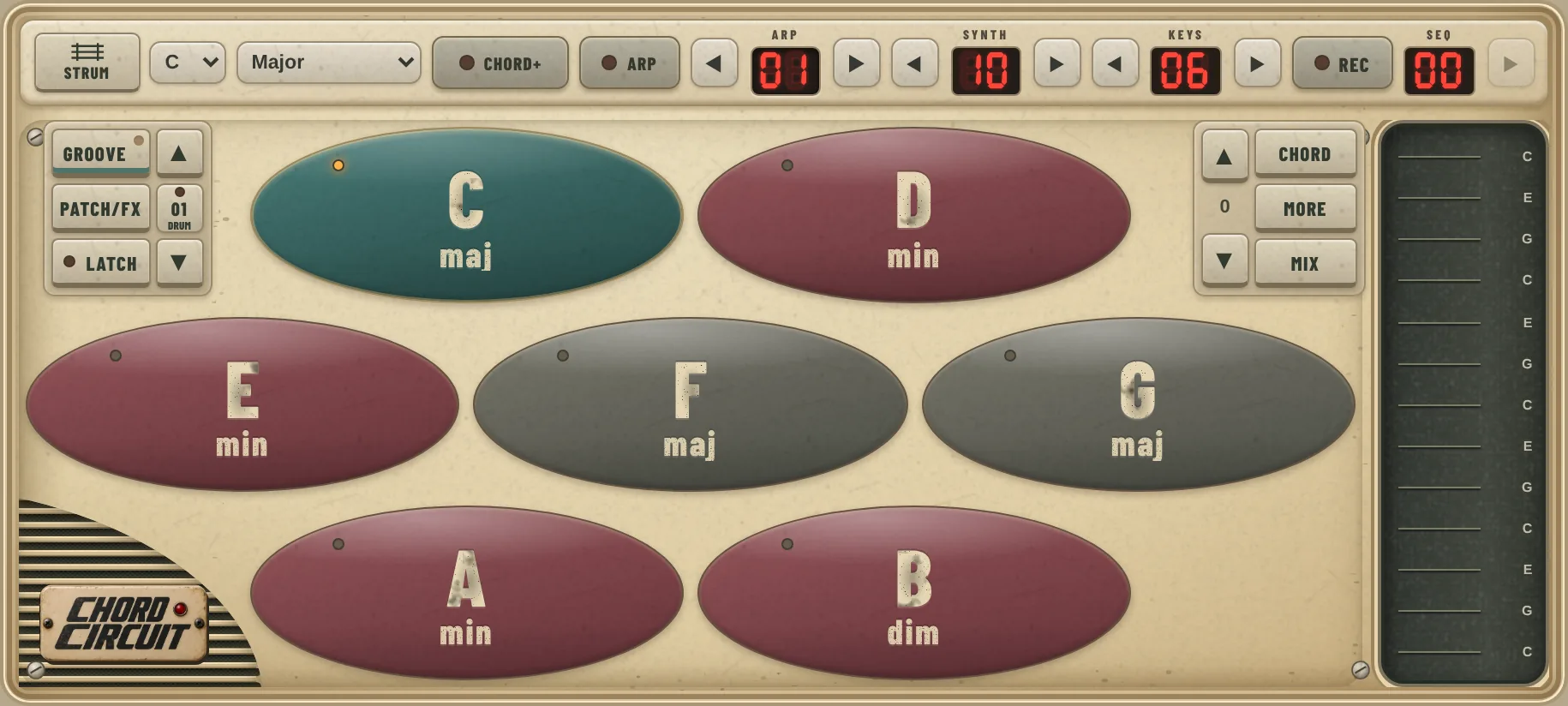
- With Chord+ off, the pads are bigger and easier to hit.
- On tablets and unfolded phones, the chord wheels sit on top and the keys below.
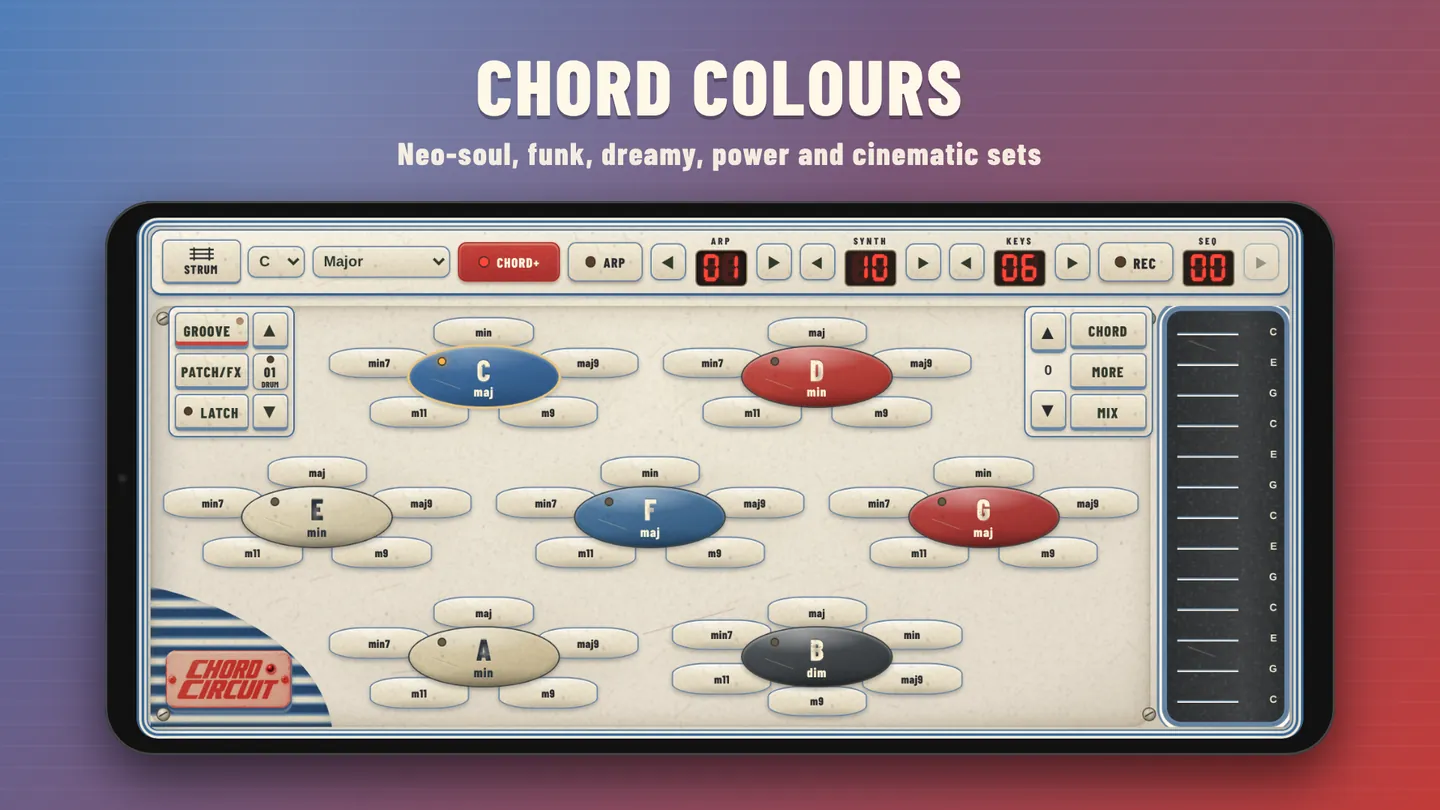
Chord+ colours
Turn on Chord+ and every chord gets a ring of petals: 7ths, 9ths, sus chords and more. Tap a petal to play that version.
In Groove, use ◀ ▶ under Chord+ & inversions to switch between sets:
- Scale harmonics: always in key, the safest choice
- Classic: 7, maj7, sus4, maj6, dim, aug
- Neo-soul & lo-fi, Funk & blues, Dreamy & ambient, Power & anthem and Dark & cinematic
Chord notes
These settings, at the bottom of the Groove page, change how each chord is built and played.
| Setting | What it does |
|---|---|
| Chord density | How many notes each chord has, from 2 to 12. More notes sound bigger and fuller; fewer sound cleaner. Very high density can shorten how long the keys ring. |
| Chord strum | The gap between notes when a chord starts, in milliseconds. 0 is all at once, like a piano. 30–60 ms sounds like a strummed guitar. |
| Strum order | Strum up (low to high), Strum down (high to low) or Zipper (alternating). |
| Low / Middle / High oct | Moves all chords down or up an octave. |
| Chord labels | Show Note names (C, D, E) or Roman numerals (I, ii, IV) on the pads. |
| Strum notes | The notes on the strings: Chord notes or All scale notes, and which way they're ordered. |
Inversions
An inversion is the same chord with its notes stacked in a different order. Under Chord+ & inversions in Groove you can choose:
- Root position: the chord's own note at the bottom. Strong and clear.
- 1st, 2nd, 3rd and 4th inversion (when the chord has enough notes): a different note at the bottom.
- Auto · smooth bass movement: Chord Circuit picks the inversion that moves the least from the last chord, so changes glide instead of jump. A great default.
Bass follows decides whether the bass plays the chord's root or its lowest note. The line under it shows what the bass is playing right now.
Progressions to start with
Turn on Latch, set the key and scale, and tap the chords in order. Then try Auto inversions and listen to how much smoother they sound.
The pop classic
Thousands of songs use it.
- Key
- C · Major
- Chords
- C → G → Am → F
- Numerals
- I – V – vi – IV
Emotional
Starts sad, ends hopeful.
- Key
- A · Natural minor
- Chords
- Am → F → C → G
- Numerals
- i – VI – III – VII
Smooth soul
Use Chord+ for the 7ths.
- Key
- D · Dorian
- Chords
- Dm → G, over and over
- Tip
- Turn on Chord+ and tap the min7 and 7 petals
Dark drama
Tense and cinematic.
- Key
- E · Phrygian
- Chords
- Em → F → Em → Dm
- Tip
- Chord density 5, a slow chord strum